
AI Tone Terminal
The Tone Terminal is a conversational AI built into Nitelite. Describe the sound you’re after and it generates specific parameter settings for your pedal — then sends them straight to your hardware.
Opening the Terminal
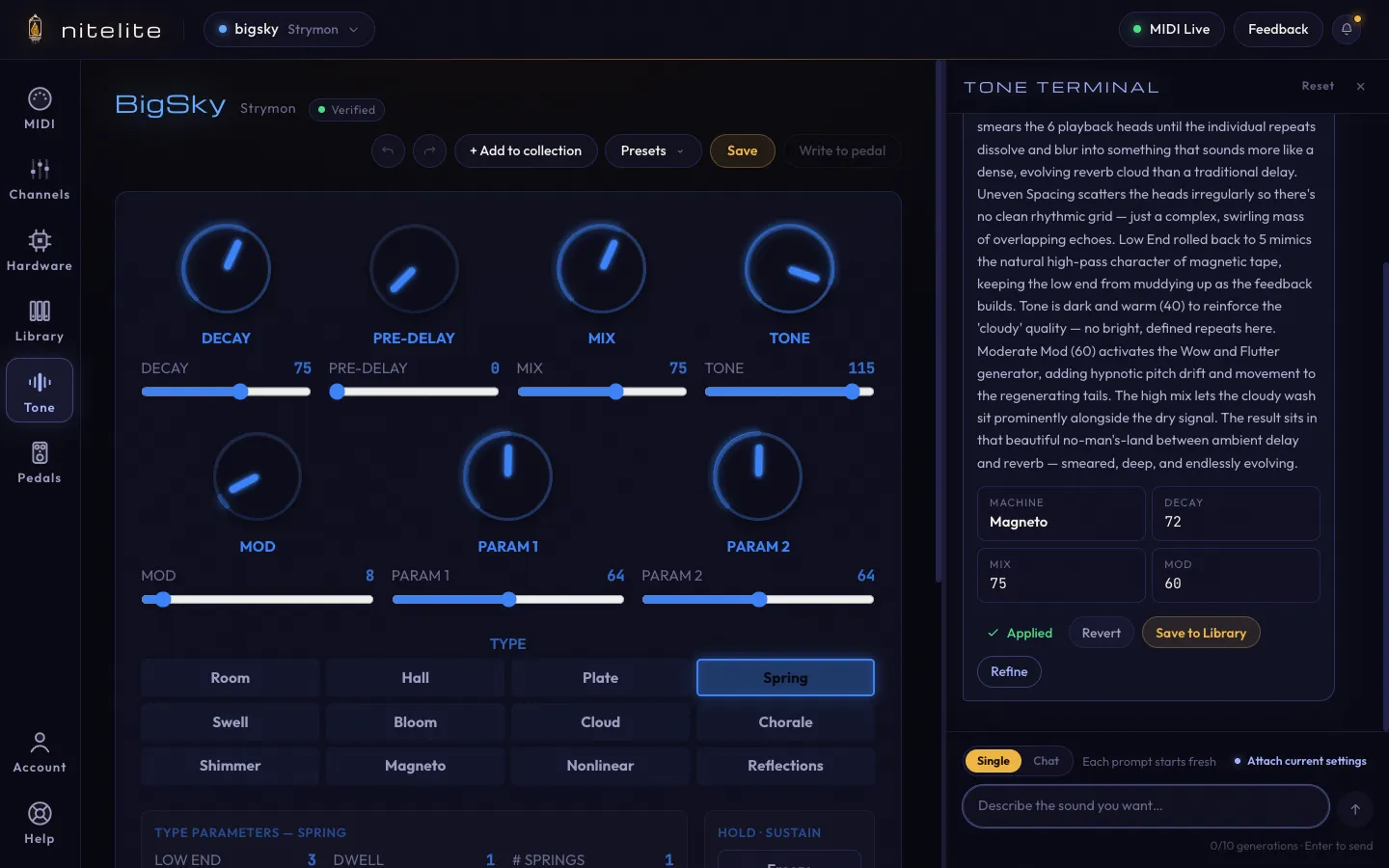
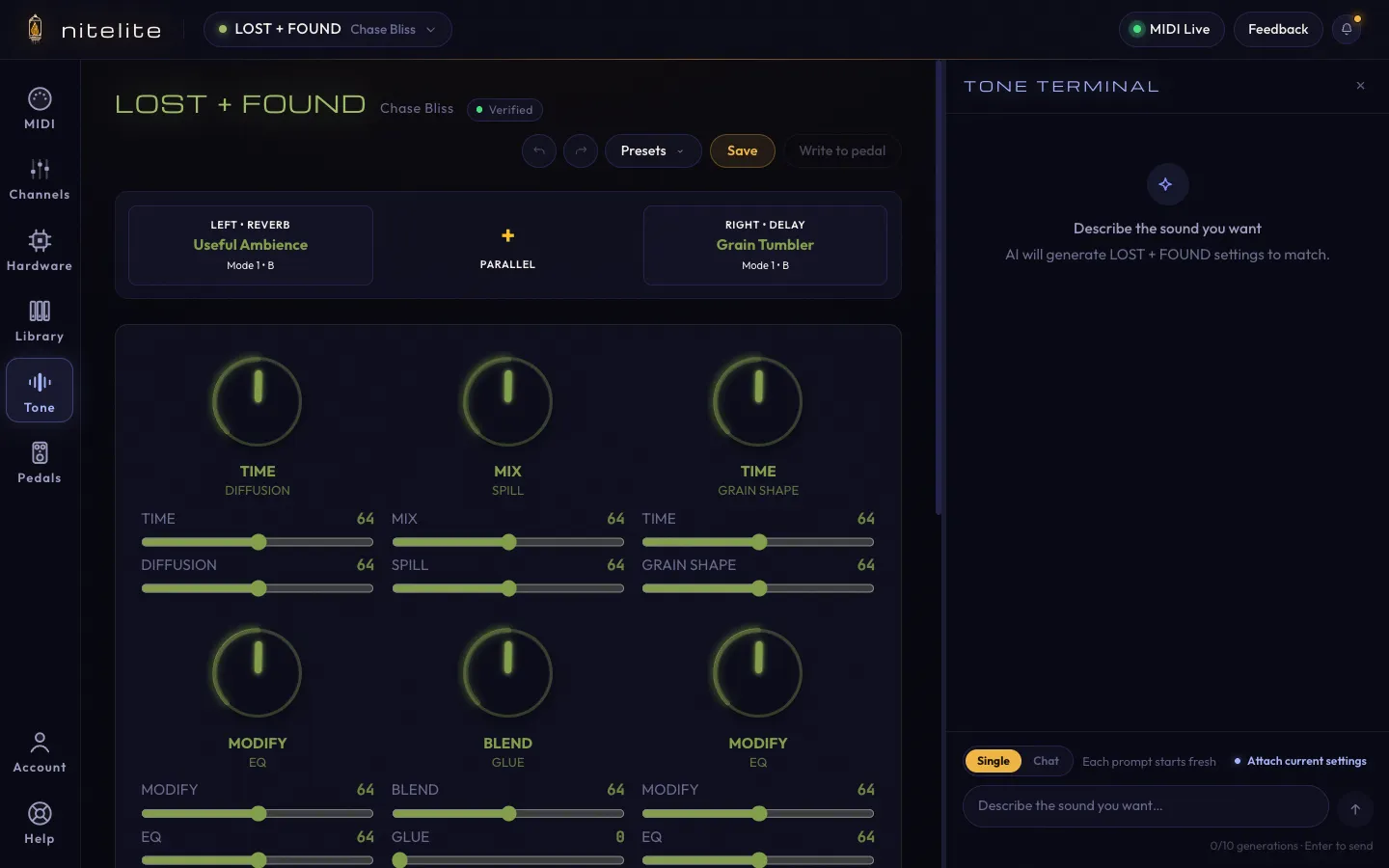
Section titled “Opening the Terminal”Click Tone in the left sidebar. The Terminal docks alongside the pedal view, so you can watch the on-screen knobs move as settings apply.
Writing Good Prompts
Section titled “Writing Good Prompts”The AI knows your specific pedal — its knobs, modes, and quirks — so you can speak naturally:
- Genre or mood: “warm ambient wash, like playing in an empty church at night”
- Reference sounds: “something like the delay on the intro of Bleed”
- Effect character: “big cloudy delay” or “long washy shimmer with lots of decay”
- What to avoid: “keep the mix low — I just want a hint of reverb”
The more context you give, the better the results.
What Comes Back
Section titled “What Comes Back”Each response explains the why behind the sound — which machine or mode it picked, what each key setting is doing — plus a summary of the headline values. Then:
- Apply to pedal — loads the settings on screen and sends them to your hardware
- Discard — throw the suggestion away
- Refine — keep the conversation going and adjust from here
Once applied, the card shows Applied with two follow-ups: Revert (go back to what you had) and Save to Library (keep it as a Tone Library preset).
Single vs. Chat Mode
Section titled “Single vs. Chat Mode”The toggle at the bottom of the panel picks the conversation style:
- Single — each prompt starts fresh. Best for one-shot “give me X” requests.
- Chat — the AI remembers the conversation, so “a little less diffusion this time” works.
Attach Current Settings
Section titled “Attach Current Settings”Click Attach current settings and your prompt includes the pedal’s exact current state. The AI can then answer questions like:
- “What will my current settings sound like?”
- “I’m close, but it’s too muddy — what should I change?”
- “The sustain is too long.”
This is the difference between the AI guessing from scratch and it editing your patch.
Generations and Your Account
Section titled “Generations and Your Account”The Tone Terminal is the one metered part of Nitelite. A free account includes 10 generations — the counter under the input box shows where you stand. Everything else in the app is unlimited and free.
Per-Pedal Conversations
Section titled “Per-Pedal Conversations”Each pedal has its own conversation history, saved between sessions. Switch pedals and you’ll see that pedal’s previous chat. Reset in the Terminal header clears the current pedal’s conversation.
Limitations
Section titled “Limitations”- The AI can only set parameters your pedal exposes over MIDI.
- Results vary — treat suggestions as a starting point, and use Refine to iterate.
- The AI doesn’t hear your guitar or amp; it works from description (and attached settings) alone.
Walk through a full session in the Dial In a Tone with AI tutorial.