
Building Your Pedal Collection
Your Pedal Collection is the list of pedals you actually own. It keeps the pedal selector focused on your board, groups your pedals by manufacturer in the sidebar panel, and is where per-pedal MIDI channels and hardware preset slots hang off.
Building a collection requires a free account (it’s what the collection syncs to) — you’ll be prompted to sign up the first time you add a pedal.
Adding and Removing Pedals
Section titled “Adding and Removing Pedals”Click Pedals in the left sidebar to open the Collection panel, then click Edit collection.
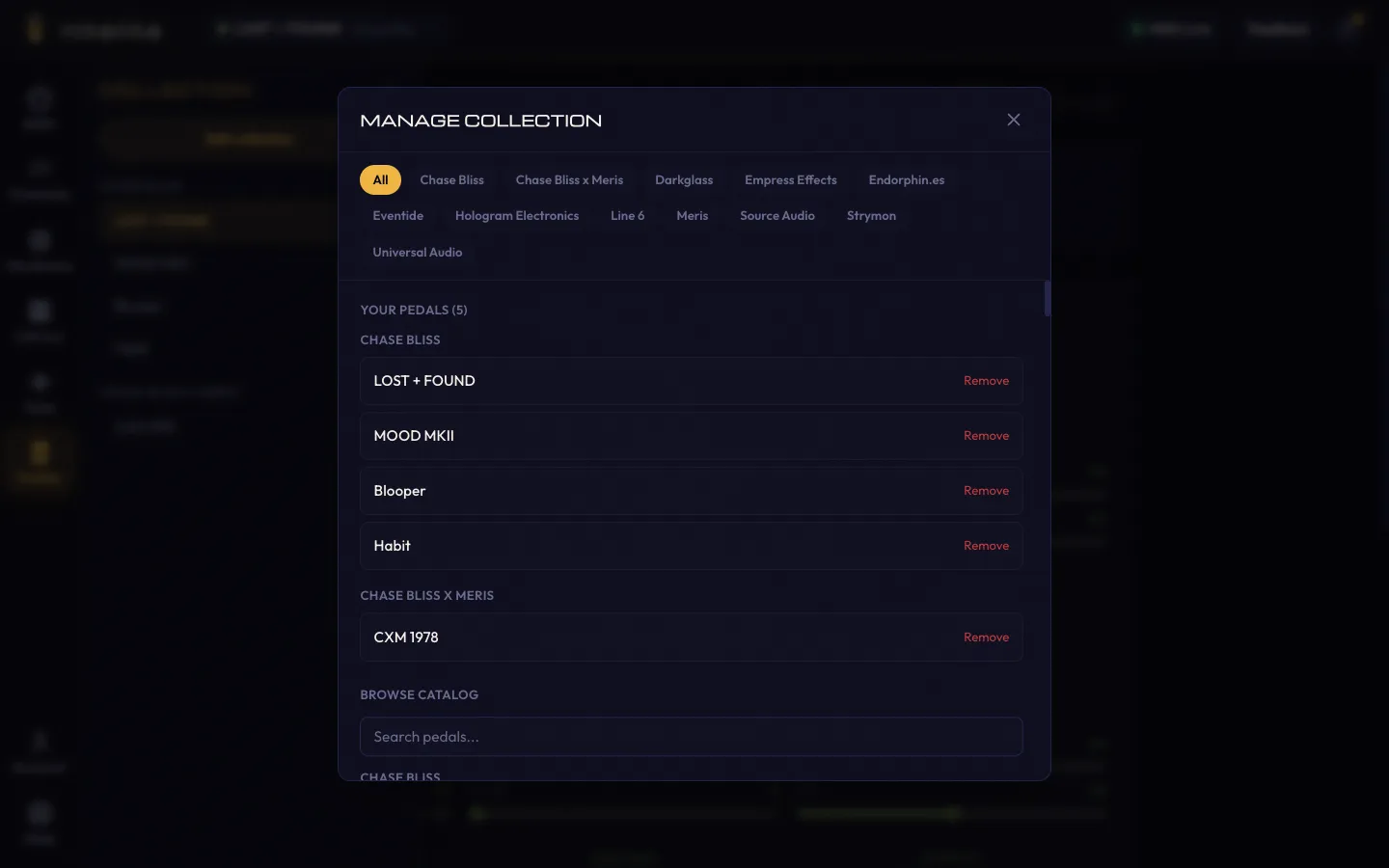
The Manage Collection dialog shows:
- Your Pedals — everything currently in your collection, with a Remove button on each
- Browse Catalog — every supported pedal, searchable by name and filterable by manufacturer chips along the top
Changes save automatically — there’s no Save button to click.
If you’re working with a pedal you don’t own (or haven’t added yet), you can still open it — its page shows an + Add to collection button in the header for later.
Where the Collection Shows Up
Section titled “Where the Collection Shows Up”- The pedal selector in the header lists your collection grouped by manufacturer, so switching pedals mid-session takes two clicks.
- The Channels panel lists each collection pedal with its own MIDI channel setting — see MIDI Channels.
- The Hardware panel tracks hardware preset slots per collection pedal — see Hardware Presets.
Cloud Sync
Section titled “Cloud Sync”Your collection and MIDI channel assignments are stored with your account. They’re available on any computer you sign into — no local setup required.
Using Nitelite without an account? Your MIDI channel settings are kept in your browser, and if you sign up later they’re merged into your account automatically.
Once your collection is set up, head to MIDI Channels to configure channel assignments, or jump straight to Controlling Your Pedals.