
Tutorial: Dial In a Tone with AI
Goal: go from “I can hear it in my head” to “it’s coming out of my amp,” without touching a knob yourself.
You’ll need: a connected pedal and a free account (includes 10 AI generations).
-
Open your pedal and the Terminal
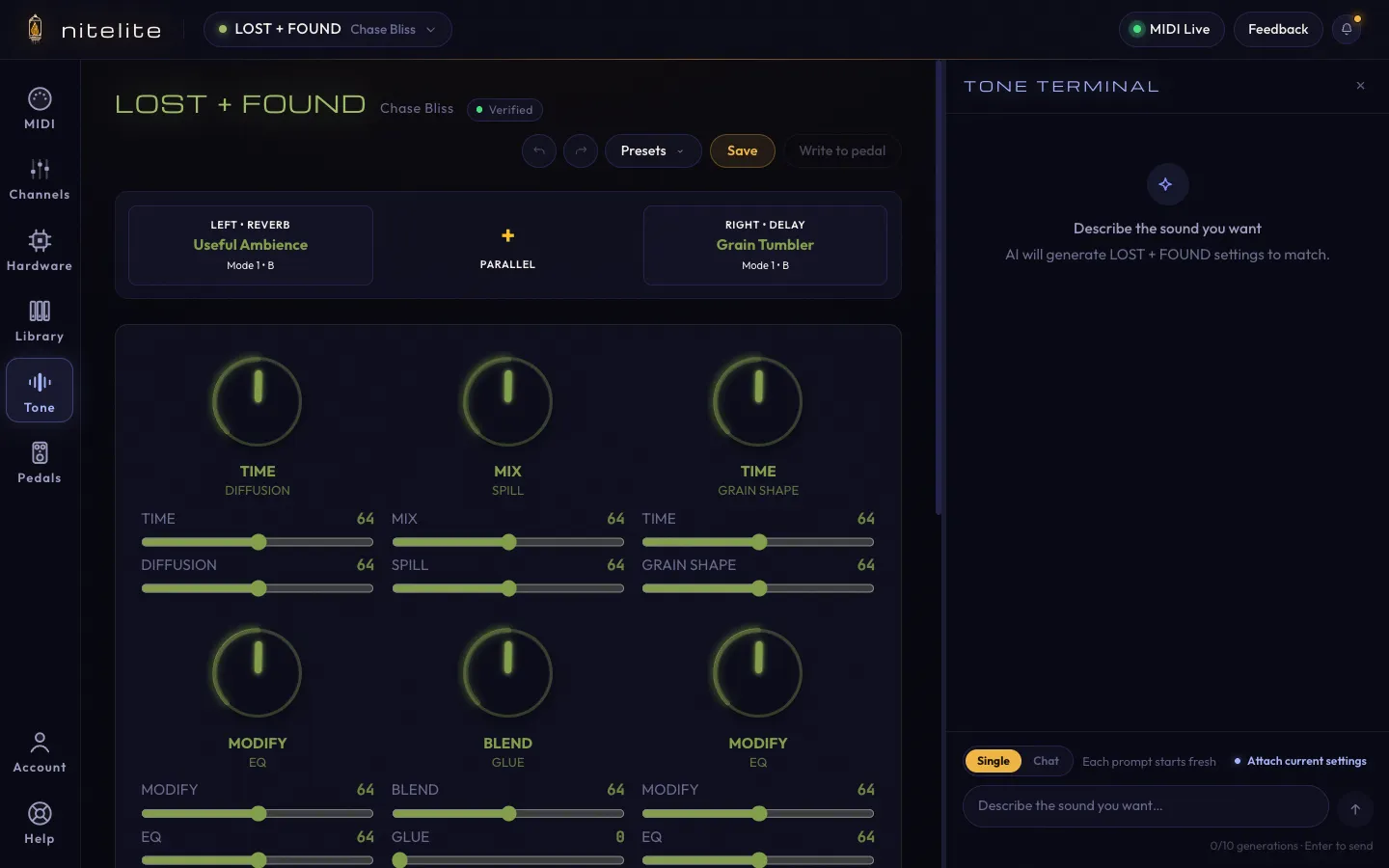
Select your pedal in the header dropdown, then click Tone in the sidebar. The Terminal docks next to the pedal view.
-
Describe the sound
Be specific about feel, not knob positions — that’s the AI’s job. A few shapes that work well:
- A scene: “warm ambient wash, like playing in an empty church at night”
- A texture: “big cloudy delay”
- A reference: “the intro of a slowdive song”
Press Enter.
-
Read what came back
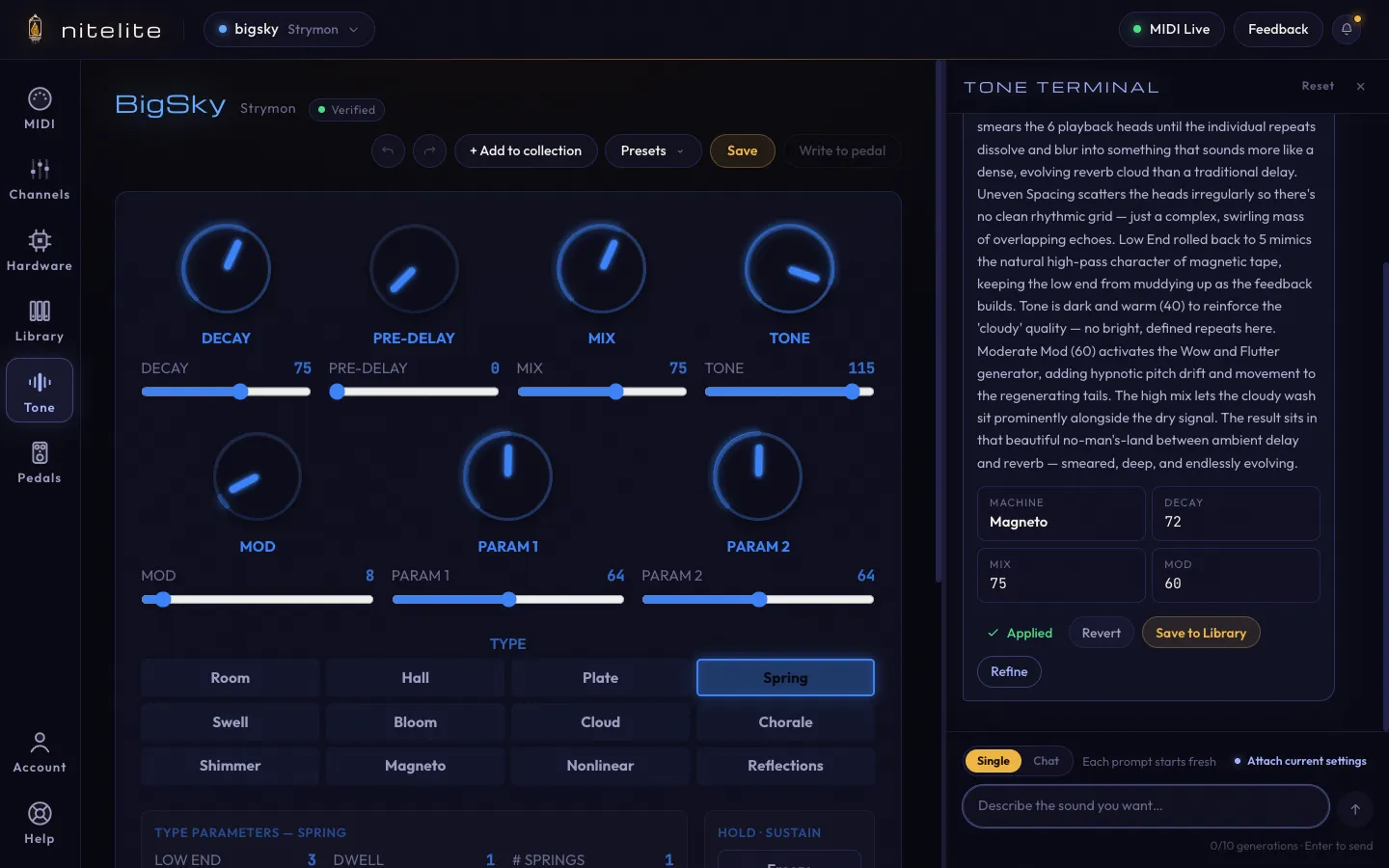
The response explains its choices — which machine or mode it picked and what the key settings are doing. This is half the value: you’re learning how your own pedal makes the sounds you like.
-
Apply and play
Click Apply to pedal. The on-screen controls move, the MIDI goes out, and your pedal is now making that sound. Play something.
-
Refine
Not quite right? Switch the toggle at the bottom to Chat mode and talk to it like a bandmate:
- “a little less diffusion this time”
- “too dark — open it up”
- “the sustain is too long”
Even better: click Attach current settings first, so the AI edits your actual patch instead of guessing. If a revision is worse, Revert takes you back.
-
Keep it
When it’s right, click Save to Library on the applied card. Name it, tag it, and it’s in your My Presets — shareable with the community, or private if you flip the toggle.
- Single mode for brand-new ideas, Chat mode for iterating on one sound.
- Mention your context: bass vs. guitar, live vs. recording, band mix vs. solo playing all change what “big reverb” should mean.
- Ask questions, not just requests — with settings attached, “what would make this sound more like a spring reverb?” gets you a real answer.
- Each response costs one generation; refining in chat mode counts too. The counter under the input shows where you stand.