
Controlling Your Pedals
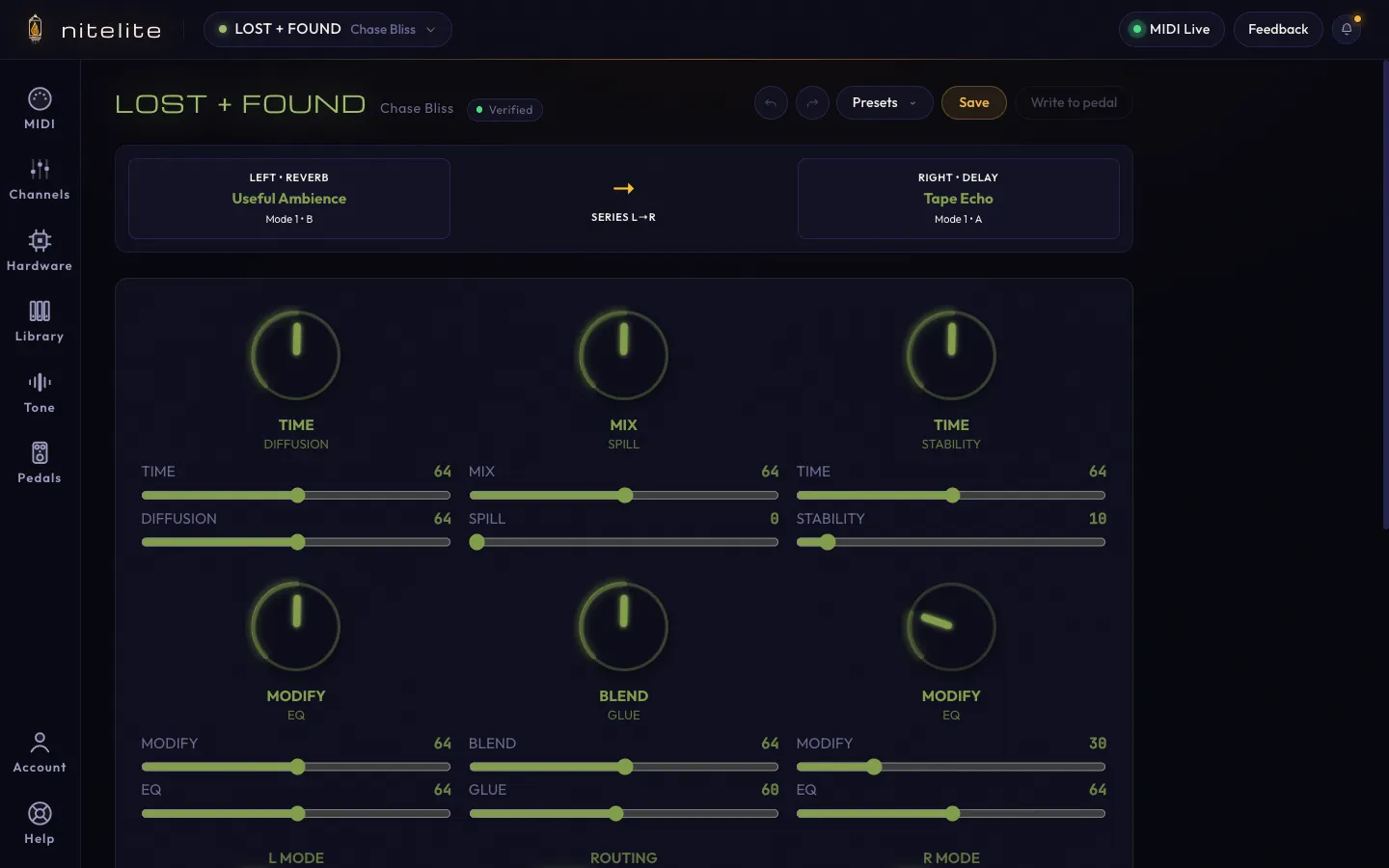
Once you’ve connected your pedal and selected it in Nitelite, the pedal view shows all of its controls on screen — laid out to match the real hardware.
The Pedal View
Section titled “The Pedal View”The pedal view renders every controllable parameter for your selected pedal:
- Knobs — Drag up or down, or use your mouse wheel to adjust. Each knob also has a slider underneath showing its exact MIDI value (0–127).
- Switches — Click a position to select it. Three-way switches, mode selectors, and button groups are all supported.
- Faders and sliders — Drag to set a value along a range.
- DIP switches — Small on/off toggles that control deep behavior. Hover any DIP to see a plain-English explanation of what it does (e.g. “TRAILS: OFF — Effects fade naturally after bypass”).
- Footswitches — Bypass and hold functions, where your pedal supports them.
Some pedals have secondary (ALT) functions on their knobs — accessed on the hardware by holding a button, but shown side-by-side in Nitelite so you can set both directly.
Pedals with multiple algorithms (like the Strymon BigSky’s reverb machines) show a type selector, and the parameter section below it changes to match the selected machine:
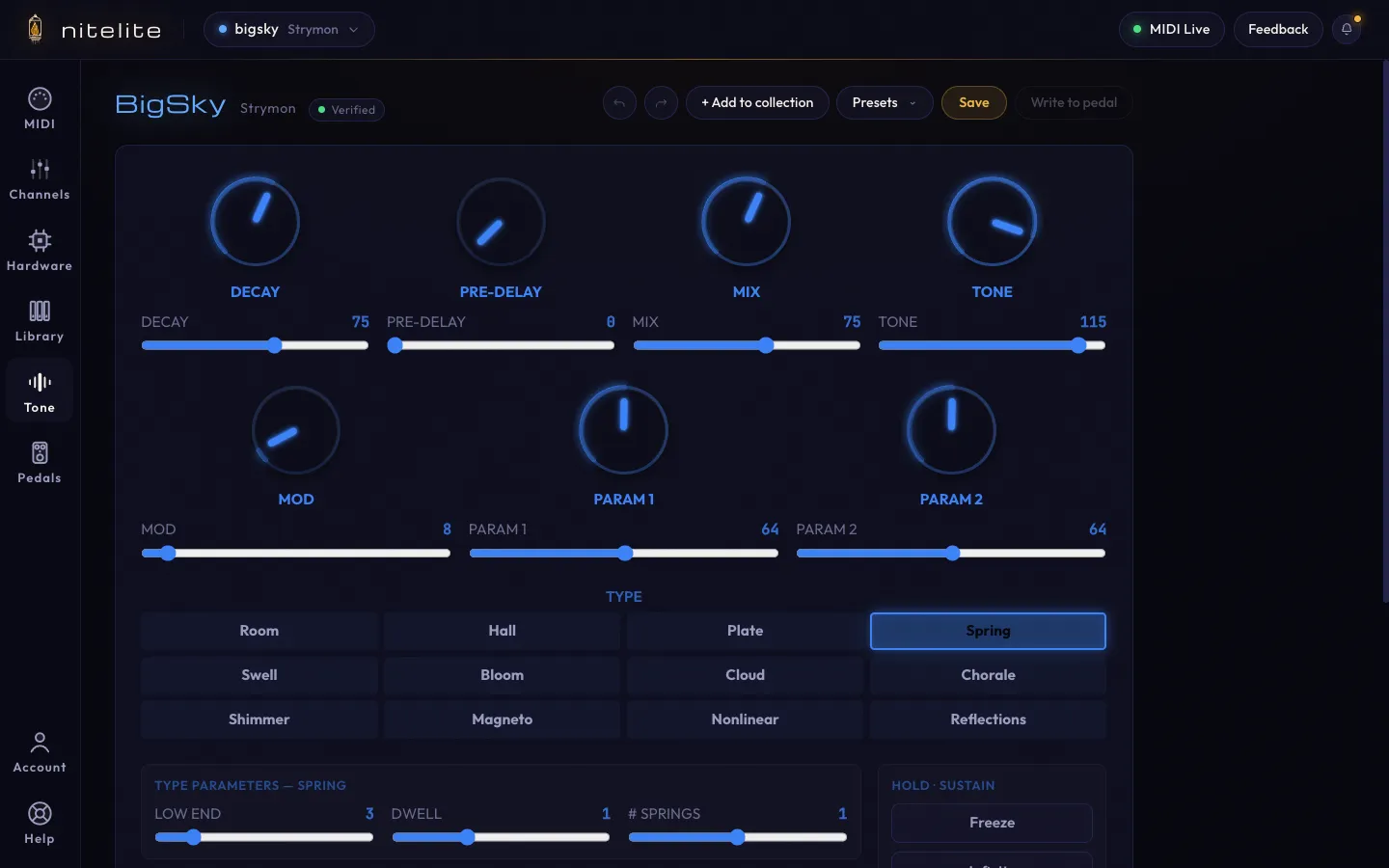
Next to the pedal’s name you’ll see a maturity badge — how battle-tested that pedal’s integration is. See Pedal Maturity & Test Reports.
Real-Time MIDI
Section titled “Real-Time MIDI”Every control change is sent to your pedal instantly via MIDI. There’s no “Send” button — move a knob and your pedal responds immediately. The MIDI Live pill in the header confirms the connection is up.
Remember that MIDI is one-way: Nitelite tells your pedal what to do, but can’t read the pedal’s state back. If you twist a physical knob, the app won’t know — use Sync to Pedal (below) to push the app’s state back to the hardware and get them aligned.
The Action Toolbar
Section titled “The Action Toolbar”Below the controls, every pedal has a row of utility actions:
- Sync to Pedal — re-sends every current value over MIDI. Use it after plugging in, powering the pedal on, or touching physical knobs.
- Tap Tempo — click in time to send tap-tempo messages, on pedals that support it.
- Randomize — sets every knob and switch to random values. Great for stumbling into sounds you’d never dial in on purpose.
- Reset — returns all parameters to the pedal’s factory defaults.
- Hidden Settings — opens the pedal’s global/secondary settings that have no physical knob (bypass behavior, expression config, and other deep options).
Undo and Redo
Section titled “Undo and Redo”The arrows in the pedal header step backward and forward through your last 20 changes. History resets when you reload the page.
Keyboard Shortcuts
Section titled “Keyboard Shortcuts”| Key | Action |
|---|---|
? or / | Open the pedal reference overlay |
X | Randomize |
Esc | Reset to defaults |
S | Sync to pedal |
L / R | Toggle left / right footswitch |
The full list lives in the Help panel, along with a guided tour of the interface.
Switching Between Pedals
Section titled “Switching Between Pedals”When you switch to a different pedal (via the header dropdown), Nitelite saves your current knob positions. Switch back and your settings are exactly where you left them.
Learn how to save your settings as reusable presets in the Tone Library, or let the AI Tone Terminal dial in a sound for you.